Free Bluesky Photo & Caption Downloader
Download a Bluesky post’s attached photos and text together.
How can I save the photos attached to a Bluesky post in the right order?
Paste the bsky.app link to the post that contains the photos. Stillmore numbers the attached images in their published order and includes the post text in caption.txt. If the photos belong to a quoted post, open that post and use its link.
Worked example
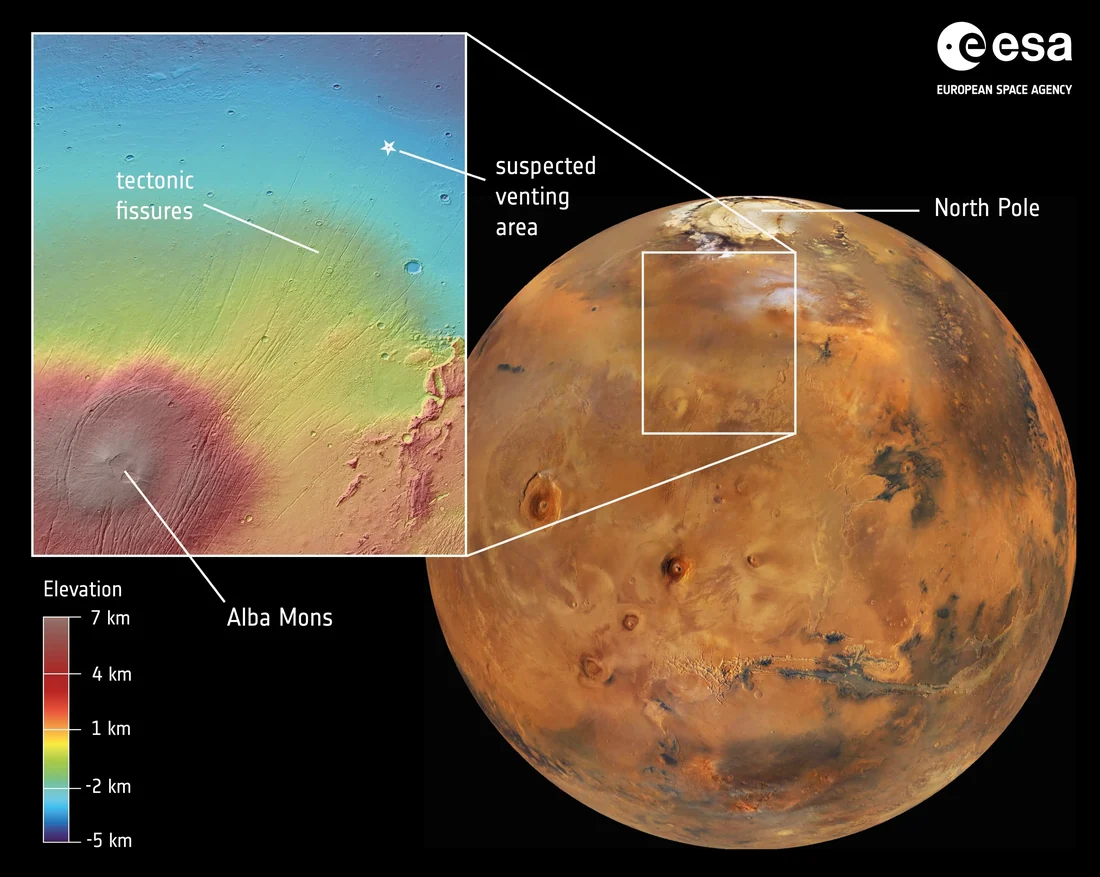
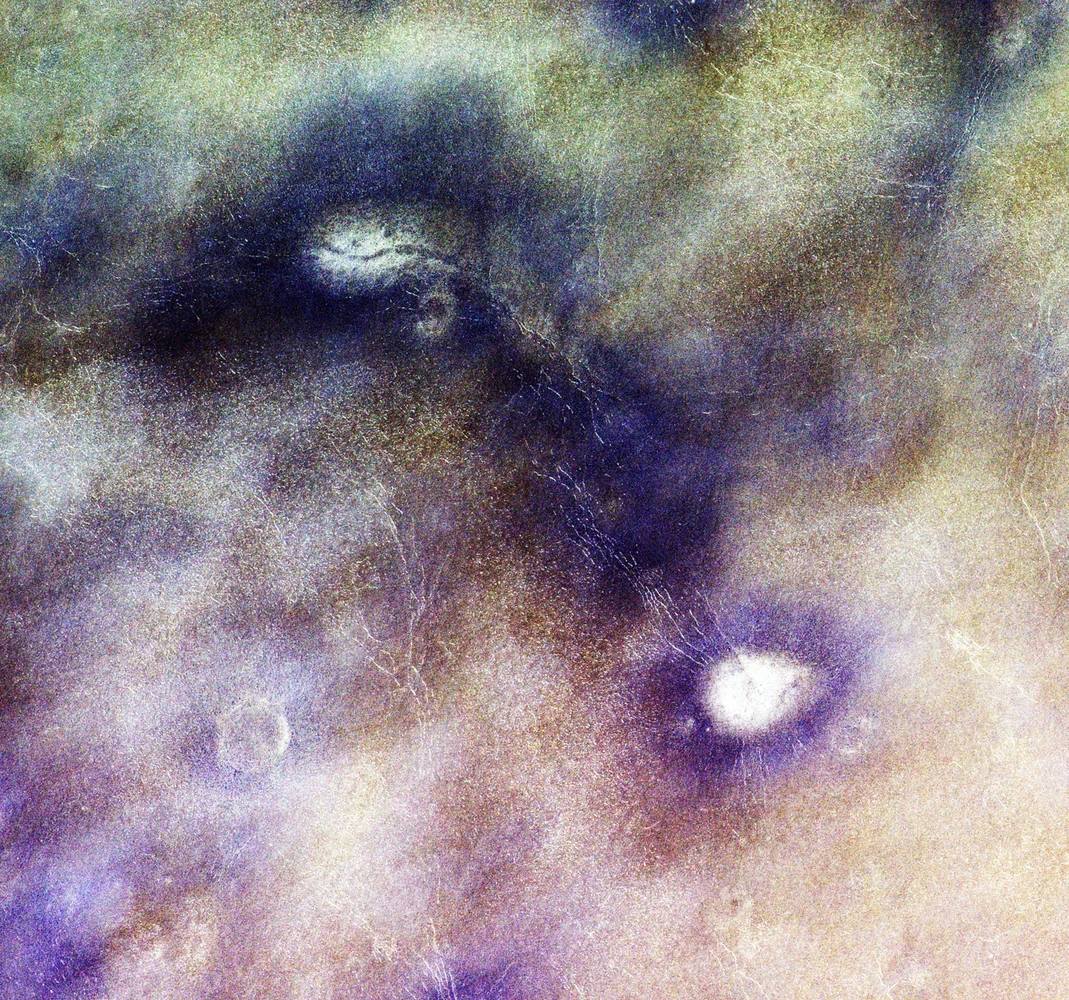
A closer look at Mars in two images
ESA paired a map of Mars with a closer view of the surface. The downloaded Bluesky post keeps the map first, the detail second and the research update in caption.txt.
View original postHow to save a Bluesky post image
Open the individual post
Copy its share link. A profile link does not identify an image.
Prepare the album
Paste the link and confirm your permission to use the content.
Save your files
Download the ZIP. Open 01, 02 and the remaining photos in order. Read the post text in caption.txt.
Photo downloader FAQ
Can I save photos from a quoted Bluesky post?
Open the original photo post itself. The downloader reads its attached images and text.
Can I download every photo in a Bluesky post?
For supported photo-only posts, the ZIP includes each published image in slide order. If any file cannot be retrieved, the tool does not offer a partial download.
Will I get the original resolution?
Each file uses the resolution supplied by the public post source. No upscaling is applied.
Can I save just the caption?
Open caption.txt inside the ZIP. A post without text has an empty caption file.
Does this include comments or replies?
Only the caption of the linked post is included.
What if the account is private?
Use a public post you have permission to save. A sign-in-only page cannot be read here.
Can I paste a Bluesky profile link?
Open a specific post and copy its own link so the tool can identify the image.
Is the tool free?
Yes. There is no charge for the photo ZIP.
Related tools
Carousel Layout Maker
Arrange your photos, fit them to a square or 4:5 canvas, and download a numbered set of PNG slides.
White Border Maker
Fit your whole photo on a square or 4:5 canvas. Add a white border or pick a brand colour, then save a PNG.
Photo Collage Maker
Choose a 2 × 2 or 3 × 3 grid and set the gaps and background before saving your collage.